A remark writer for Mulebuy Spreadsheet finds, in English and Chinese
Pick the shelf, paste the option string, tick what you want checked. The writer prints matching English and Chinese lines and a short list of what the warehouse report should show if the request was followed.
Write the remark
English
中文
The warehouse report should show
Four steps from shelf to finished remark
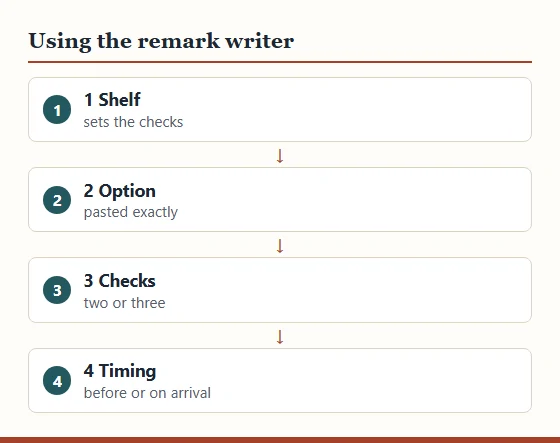
Here is how to use the tool. First choose the shelf the find came from; the tick boxes change to suit it. Second, paste the option string from the listing menu, exactly as shown, Chinese characters included. Third, tick the checks you want, keeping to two or three. Fourth, choose whether the buyer should ask the seller before purchasing or the warehouse should check on arrival.
The result appears as you go. Copy the English and Chinese together into the agent's remark box, then keep the checklist to hand for when the warehouse report arrives. What you type stays on your own device: no sign-in, no saving, no upload.
What the English and Chinese lines are built from
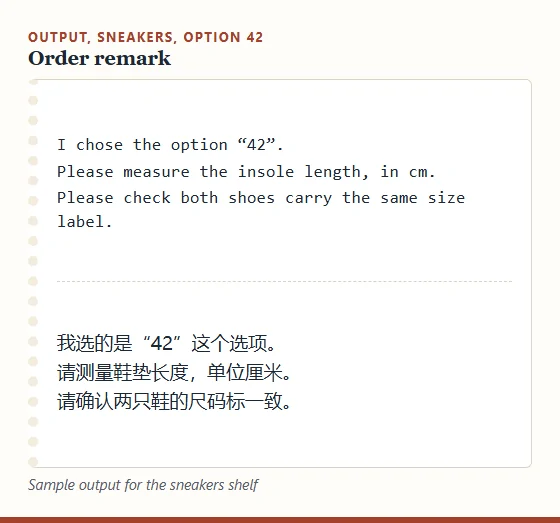
Every line comes from a fixed phrase written for this tool, with your option string dropped in. The Chinese uses the same building blocks shown on the remarks page: 请测量 for please measure, 单位厘米 for centimetres, 请加拍一张 for please add one photo, and 请先联系我再下单 for please contact me before buying.
The measurement phrases name the method as well as the part, because a flat chest and a full chest are different numbers. Jeans get waist flat with inseam, sneakers get insole length, bags get length, height and depth, and so on for each shelf.
If you need something the boxes do not offer, add a single line of your own under the generated text rather than editing the Chinese.
Reading the checklist it prints
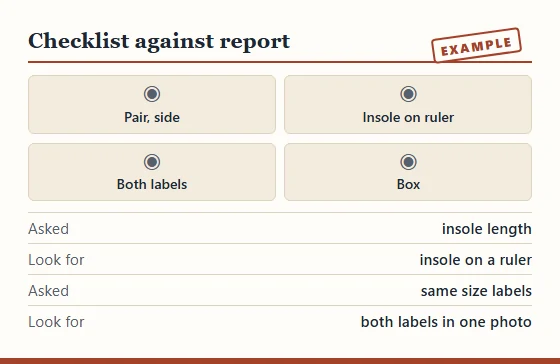
Under the remark the writer lists what you should be able to see in the warehouse report if the request was carried out: a tape across the chest at the armpits, an insole on a ruler, both size labels in one frame, the bag's interior. Hold the report against that list line by line.
A missing item on the list is not proof that the warehouse ignored you. Measurements are sometimes sent as a message rather than a photo, and some agents treat extra angles as a paid service. Ask once, politely, quoting your original line.
Limits of a generated remark
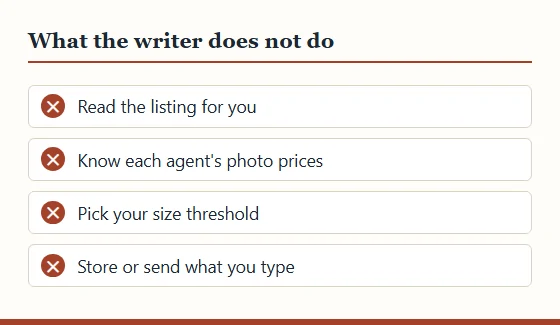
The writer knows eight shelves and a fixed set of checks. It does not read the listing, so it cannot tell whether a size chart already answers your question, and it cannot know an agent's rules on extra photos. Check the order page for prices before you submit.
It also cannot judge thresholds for you. If you add "ask me if under 58 cm", the number has to come from clothing in your own wardrobe that fits well, measured the same way.